

Purpose
It is sometimes useful to bypass the graphical interface to update one or several records within a project.
The catalogue provides an API that allows you to perform, in a secure way and programmatically, all operations that are normally accessible through the graphical interface.
This page gives you an overview of the main methods.
API Overview
API Principles
The catalogue API is a REST-style API. It relies on standard HTTP commands (GET, POST, …), which are available in all common programming languages (Python, Java, Shell,…).
The exchanges generally use the JSON format, which is also a widely recognised standard.
API Key
Certain operations require permission checks. For these, an API key must be used.
How to obtain an API key?
An API key is associated with an individual user.
To obtain one, simply go to https://permalink.aeris-data.fr/api_key_manager (using the same login method as for the catalogue).
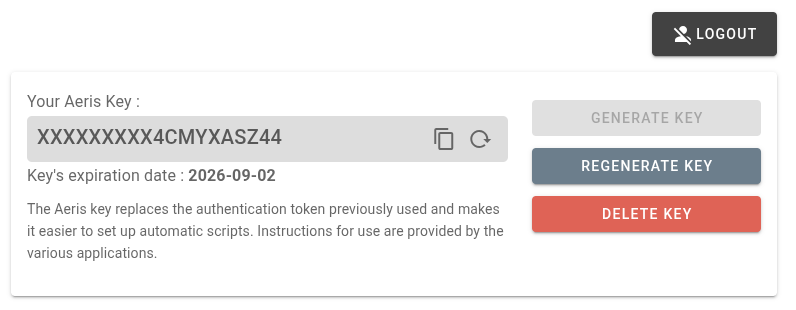
The interface allows you to generate a key that is valid for data from a specific year.
How to use the API key?
You can use this key in two different ways:
- By adding an HTTP header
X-API-Keyto all your requests, with the key as its value - By adding a request parameter
api_keywith the key as its value
Some examples of API usage
Here are a few examples illustrating how to interact with the catalogue API in practice.
Complete API
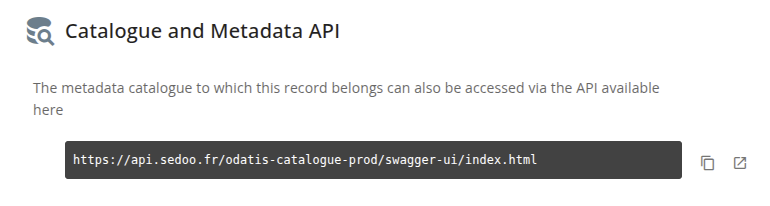
The complete catalogue API can be found in the “Interoperability” tab of each metadata record.
Note
This information also makes it possible to identify the catalogue API endpoint that should be used for subsequent requests. In the example shown, this endpoint is: https://api.sedoo.fr/odatis-catalogue-prod
This page allows you to see all the available methods:
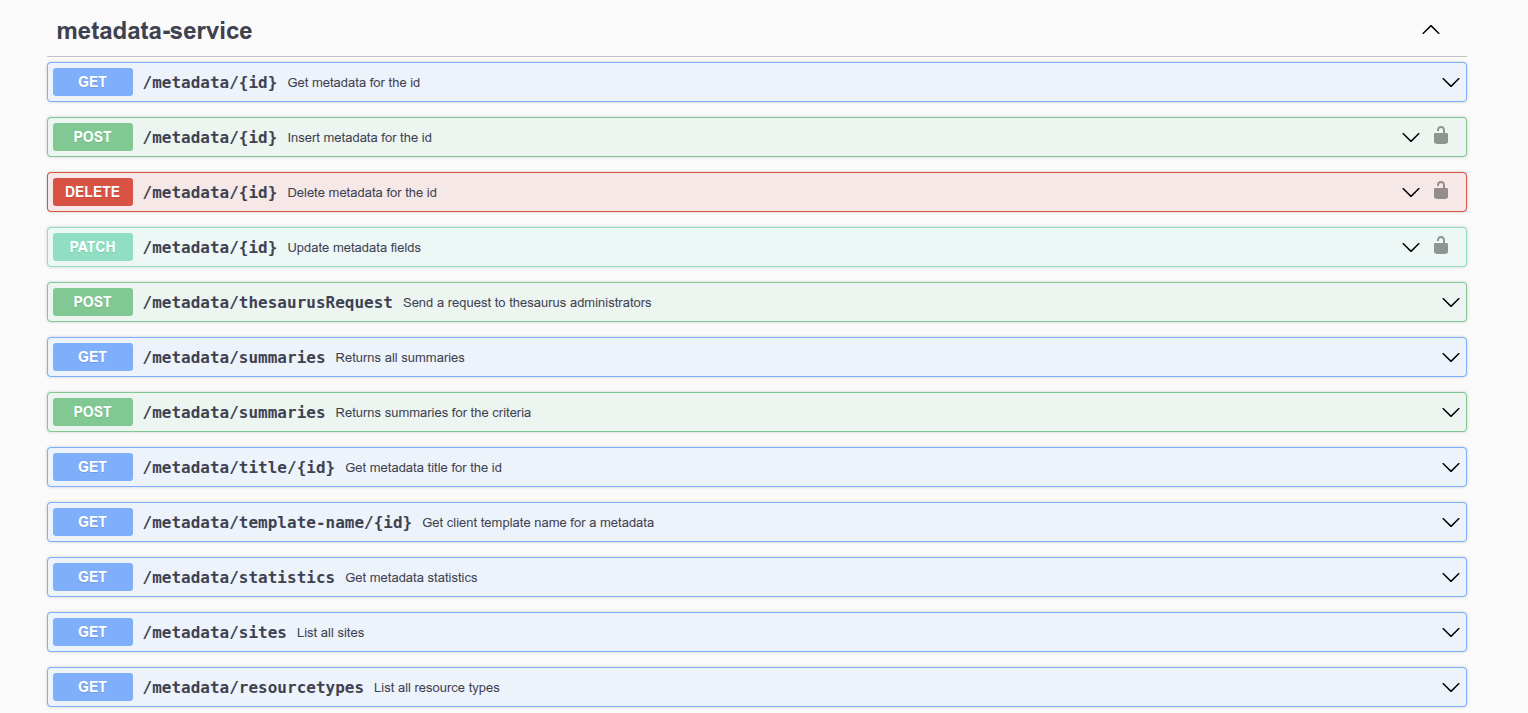
However, this may be difficult to grasp at first. Therefore, in the following sections, we provide a few examples to help illustrate how to use the API.
Notes
Use the catalogue
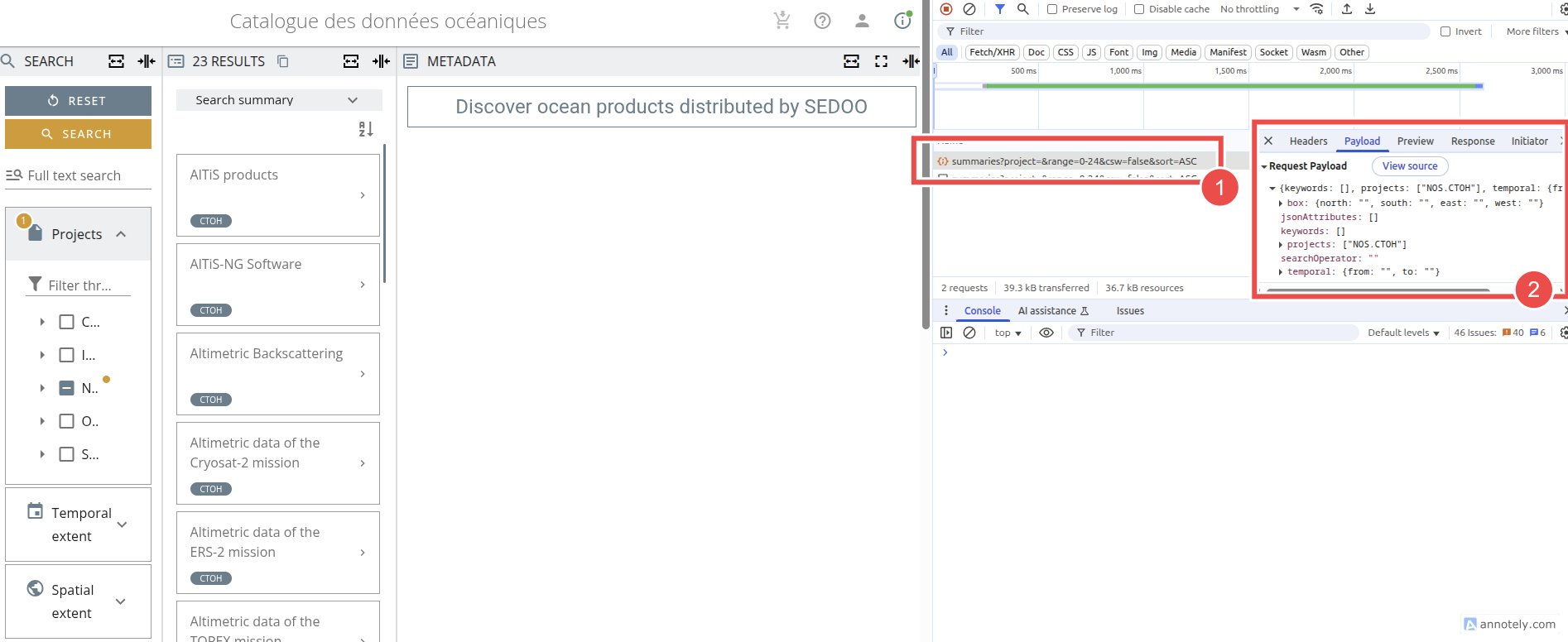
The catalogue relies on the API to operate, so it can be useful to enable the inspector in order to see the different calls being made (1) as well as the content of the exchanges (2).
Getting the project name
The project name is often important when filtering catalogue requests. Since the catalogue uses the project’s internal name, this information can sometimes be harder to locate.
A simple way to retrieve it is to look at the underlying JSON of a metadata record. This JSON can be accessed, for example, through the “Interoperability” tab of the record.

In the displayed JSON, look for the projectSet entry, which lists the projects associated with the record.
The full project name appears under the thesaurusCode field.

Searching metadata
The identifier of the metadata record you want to work with is often the first piece of information you need when modifying records programmatically.
This identifier is available in the Interoperability tab of each metadata record, which is useful when you need to update a specific record.

However, when you want to work on a broader set of records, certain methods allow you to retrieve all summaries for the metadata records belonging to a project.
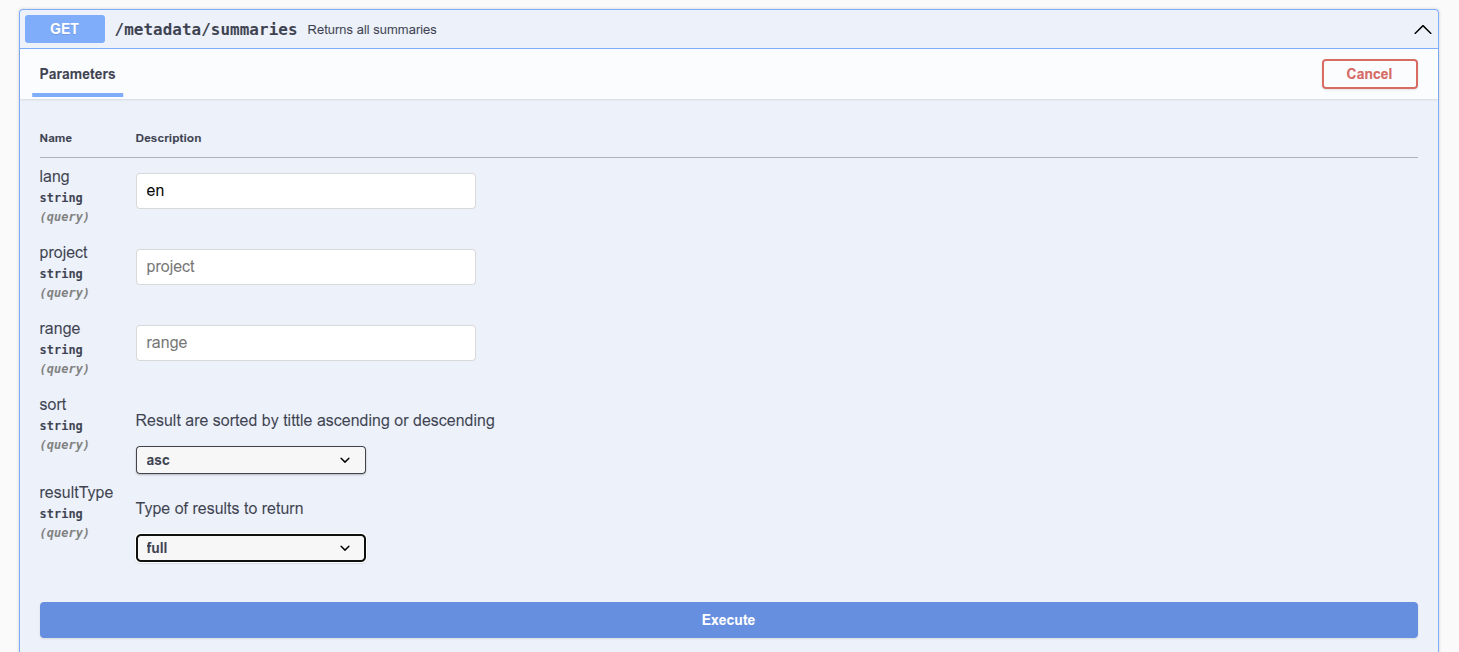
For example, the request
https://api.sedoo.fr/odatis-catalogue-prod/metadata/summaries?lang=en&project=NOS.CTOH&sort=asc&resultType=full
retrieves a summary of all metadata records belonging to the CTOH project.
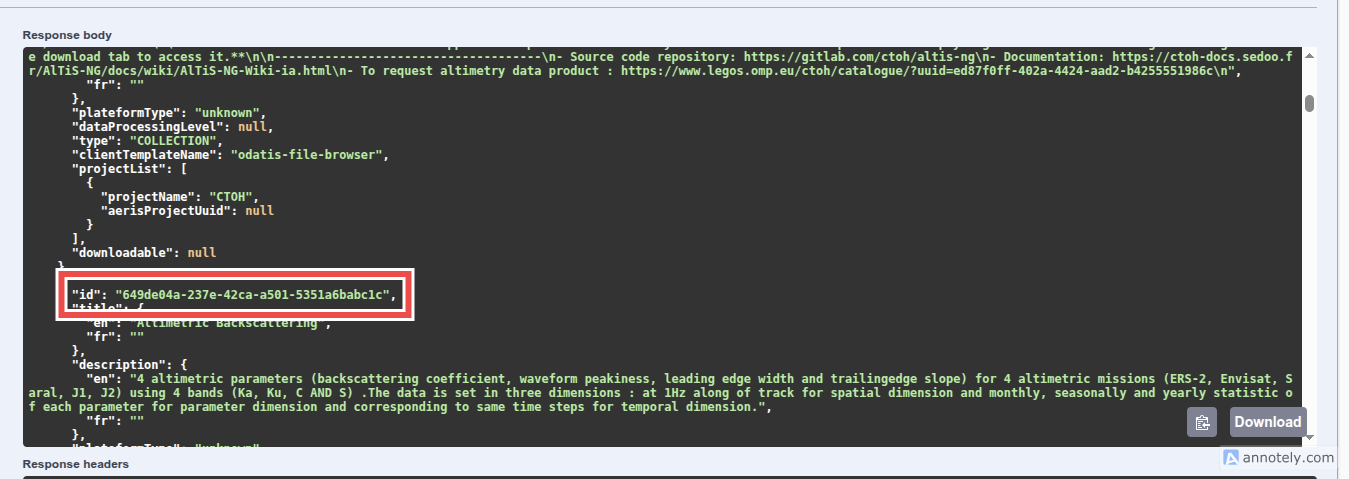
Each summary is provided in JSON format and includes the record’s identifier, available in the id field.
Notes
- Other methods, including filtering mechanisms, can be identified by inspecting the requests made by the catalogue.
- Searching for metadata does not require the use of the API key.
Modifying metadata
The modification of the metadata record uses this method.
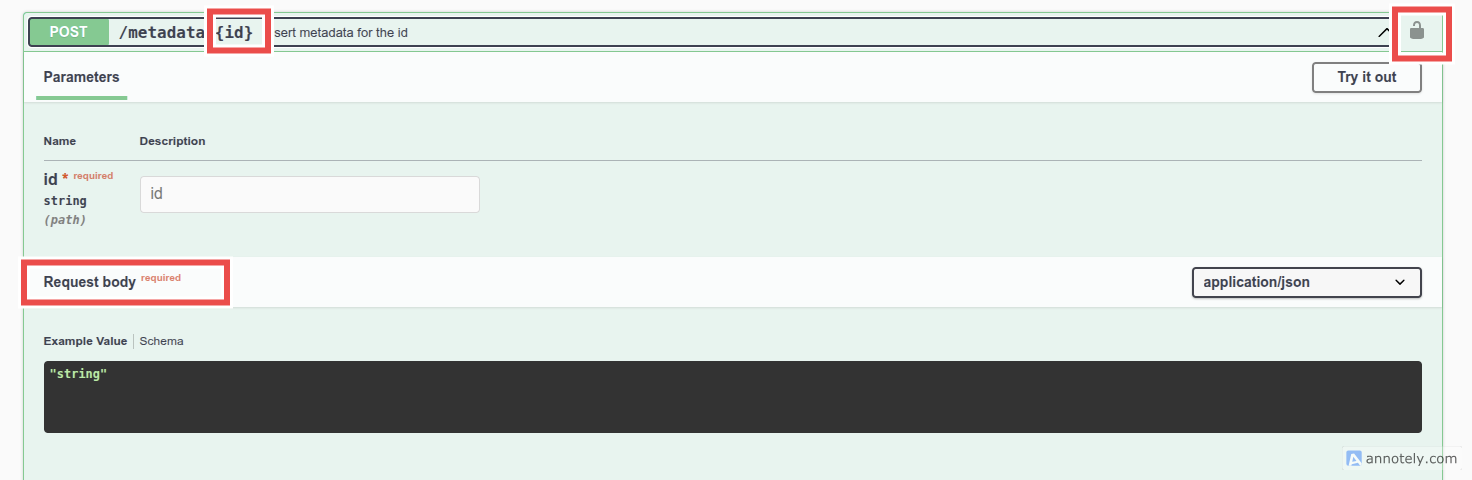
This method
- requires the use of an API key (and the permission to modify a record),
- requires knowing the identifier of the record to be updated,
- and requires sending the elements to be modified in the body of the request.
Body structure
The request body is a JSON object that may contain several children.
Each child will be added to the JSON document representing the metadata record, as long as it is part of the metadata record’s defined structure. If the element already exists, it will be overwritten.
For example, the following body will update the temporal extent of the record passed as a parameter:
{"temporalExtents":[{"beginDate":"2021-03-30","endDate":"2022-05-04","comment":{"en":"","fr":""}}]}And the corresponding request is, for instance (using CURL):
curl -X 'POST' \ 'https://api.sedoo.fr/aeris-catalogue-prod/metadata/7f83e709-4ed4-49f1-b26f-c45d0519e4cf' \ -H 'accept: */*' \ -H 'Content-Type: application/json' \ -d '{"temporalExtents":[{"beginDate":"2021-03-30","endDate":"2022-05-04","comment":{"en":"","fr":""}}]}'Creating metadata
La méthode POST utilisée pour modifier une fiche de métadonnées peut également servir à créer une fiche nouvelle.
Il faudra, dans ce cas que le corps de la requête corresponde à une fiche minimale comme ceci:
{« identifier »: »59b1651f-57f0-4729-99ad-124cc01acfd2″, »status »: »Public », »language »: »en », », »id »: »59b1651f-57f0-4729-99ad-124cc01acfd2″, »resourceTitle »:{« en »: »Test_FA », »fr »: »Votre nouvelle fiche »}, »type »: »COLLECTION », »projectSet »:[{« thesaurusCode »: »PROJECT.CODE »}]}